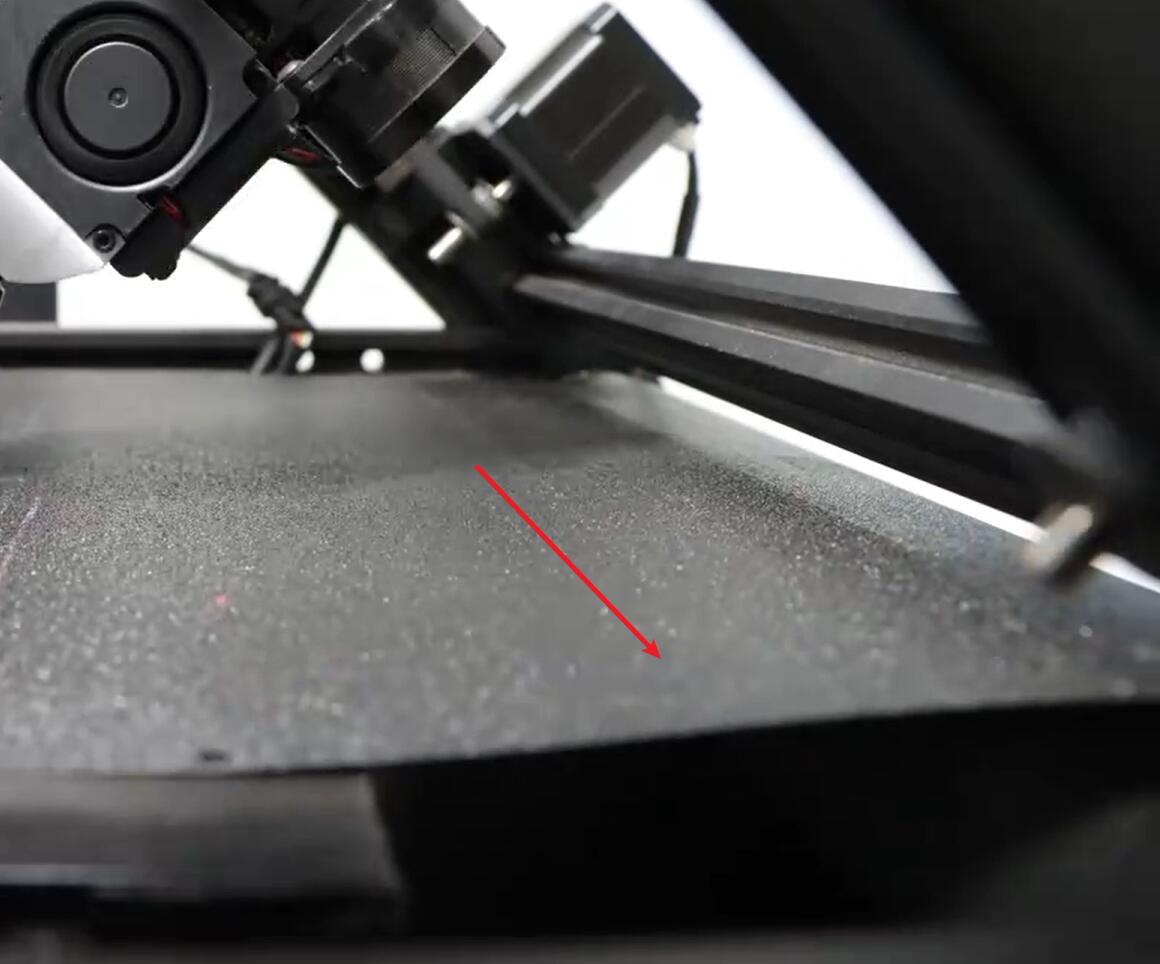
¶ IR3V2 Debugging and maintenance
¶ Leveling correction
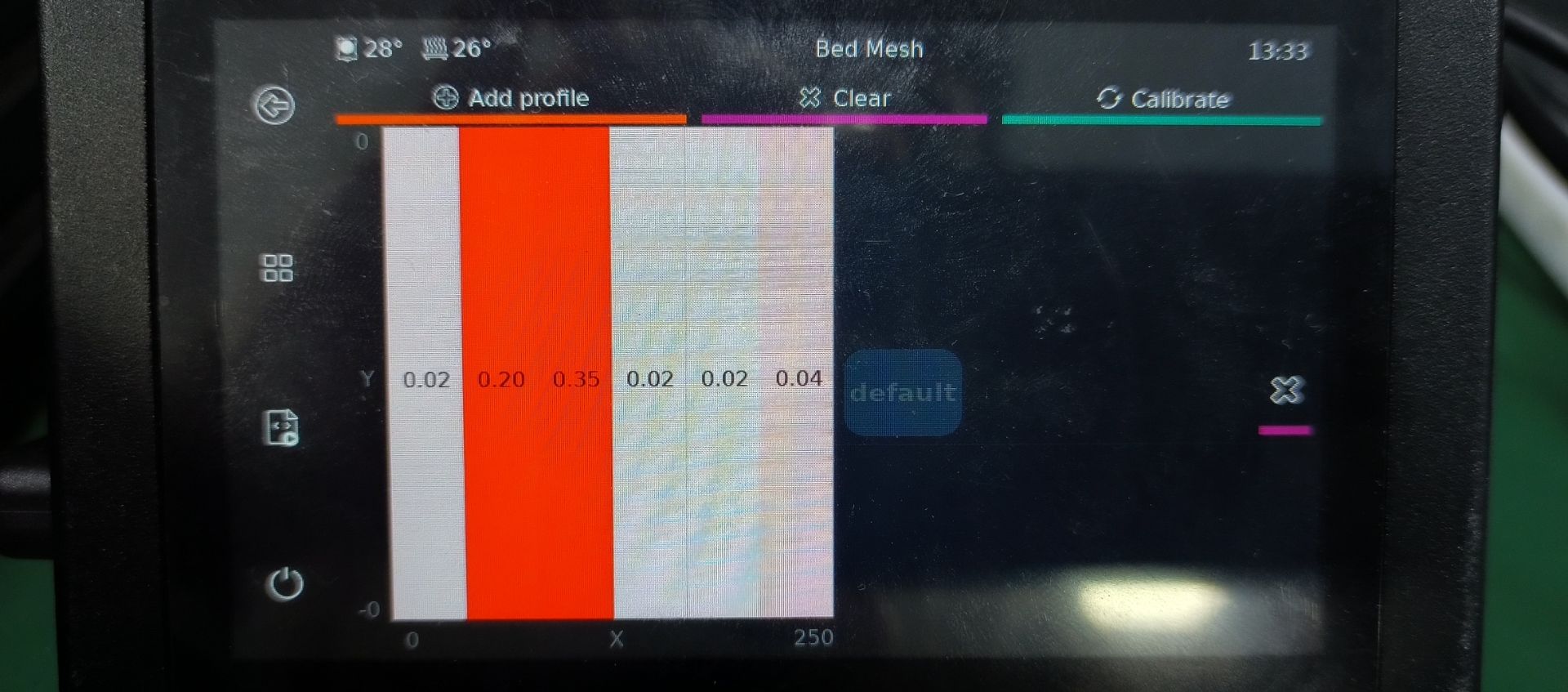
- After automatic leveling, check the Bed mesh data to see if the maximum or minimum value exceeds ±0.20. Under normal circumstances, the data at the leftmost point is 0. In some cases, there may be a slight deviation which is normal. If the values exceed the range, first check if the 45° frame on the machine is installed properly and if there are any gaps as shown in the diagram.
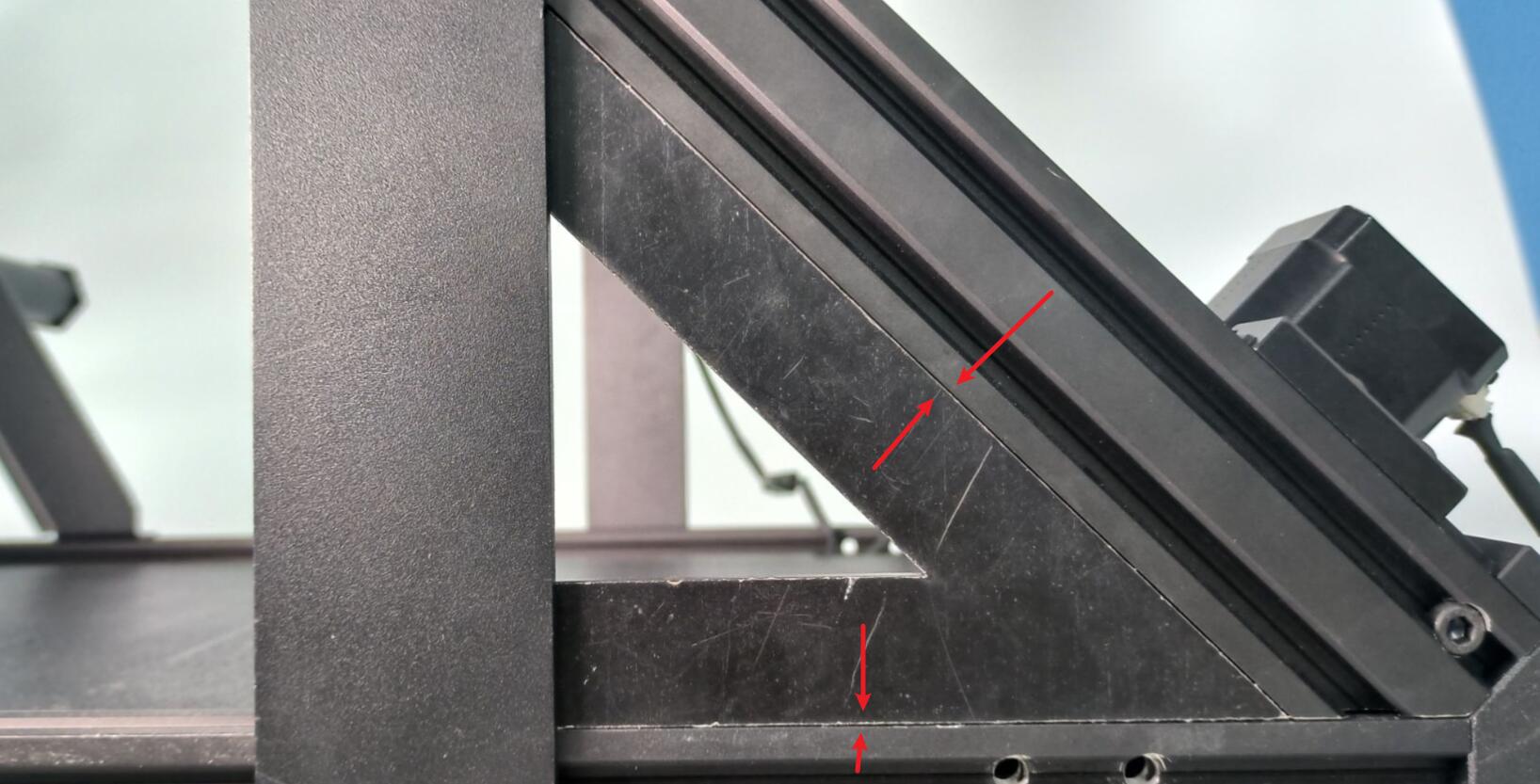
If the upper frame is installed properly, the data can be corrected by fine-tuning the tension of the synchronous belt. - When the value exceeds 0.2, adjust the x motor sprocket tighter or loosen the y motor sprocket.
Loosen the screws in the red circle, tighten or loosen the screws at the arrow positions.
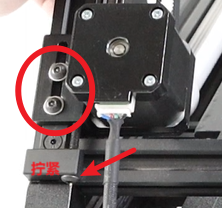
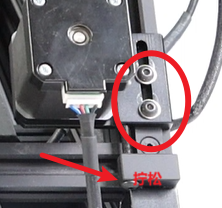
When adjusting, remember the number of turns. Each half turn corresponds to a change of 0.1 in the data. After adjusting, tighten the screws in the circle and re-level to check the leveling data.
- When the value is less than -0.2, loosen the synchronous belt of the x motor or tighten the synchronous belt of the y motor. After adjusting in the same way, re-level and check the Bed mesh data.
- Move the x-axis to half the position of the y-axis, and manually adjust the tension of the synchronous belts on both sides.
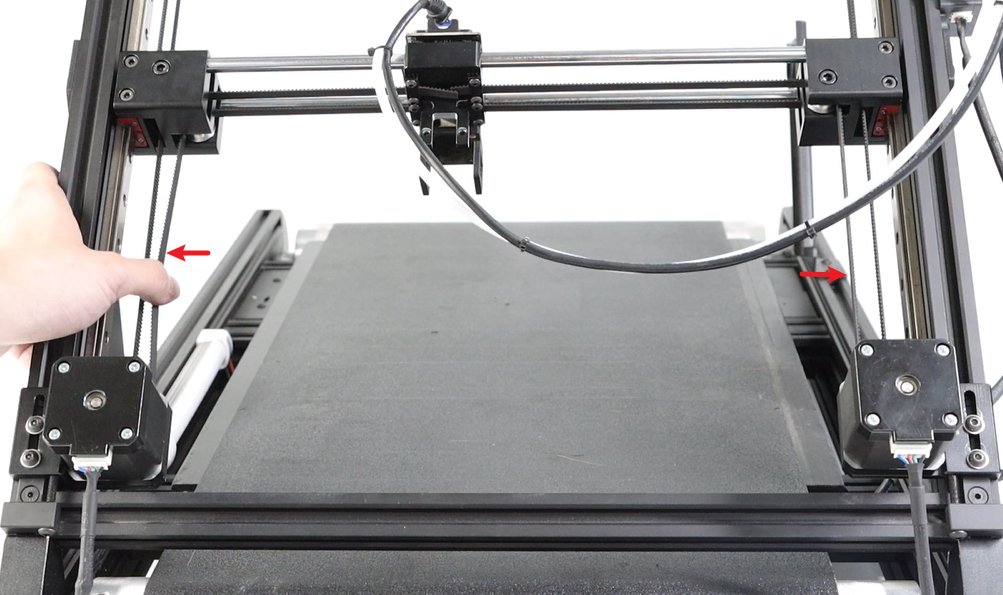
Confirm that after adjustment, the tension of the synchronous belts on both sides will not differ by too much.
¶ Cleaning and Maintenance of the XY Axis
-
Disabled the motors on the screen, move the print head to the middle position, spray alcohol on a paper towel or cloth, and clean the x-axis optical axis and y-axis guide rails thoroughly.
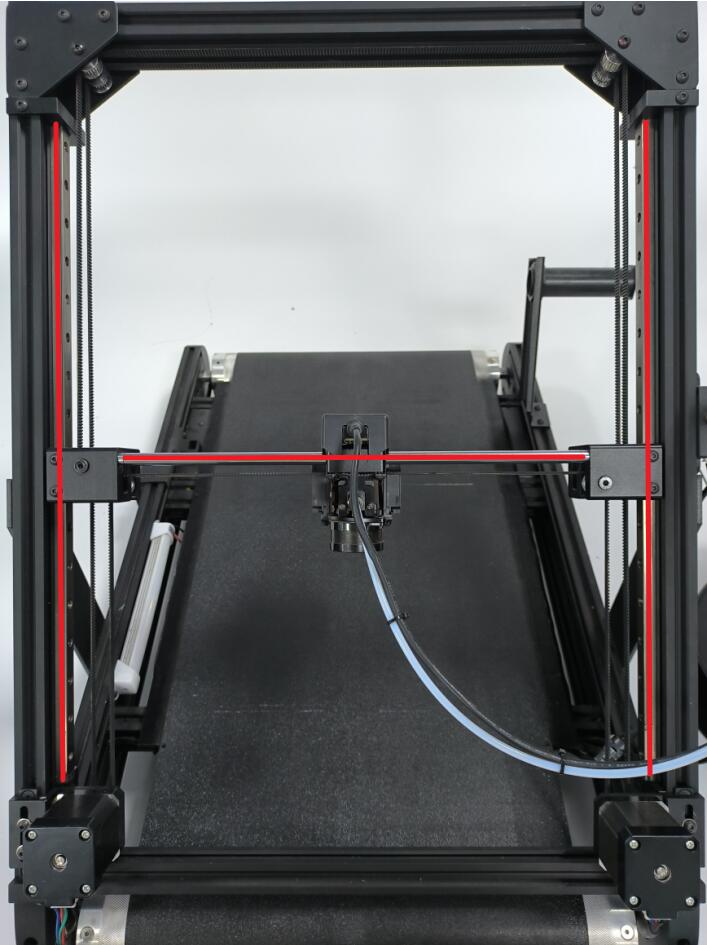
-
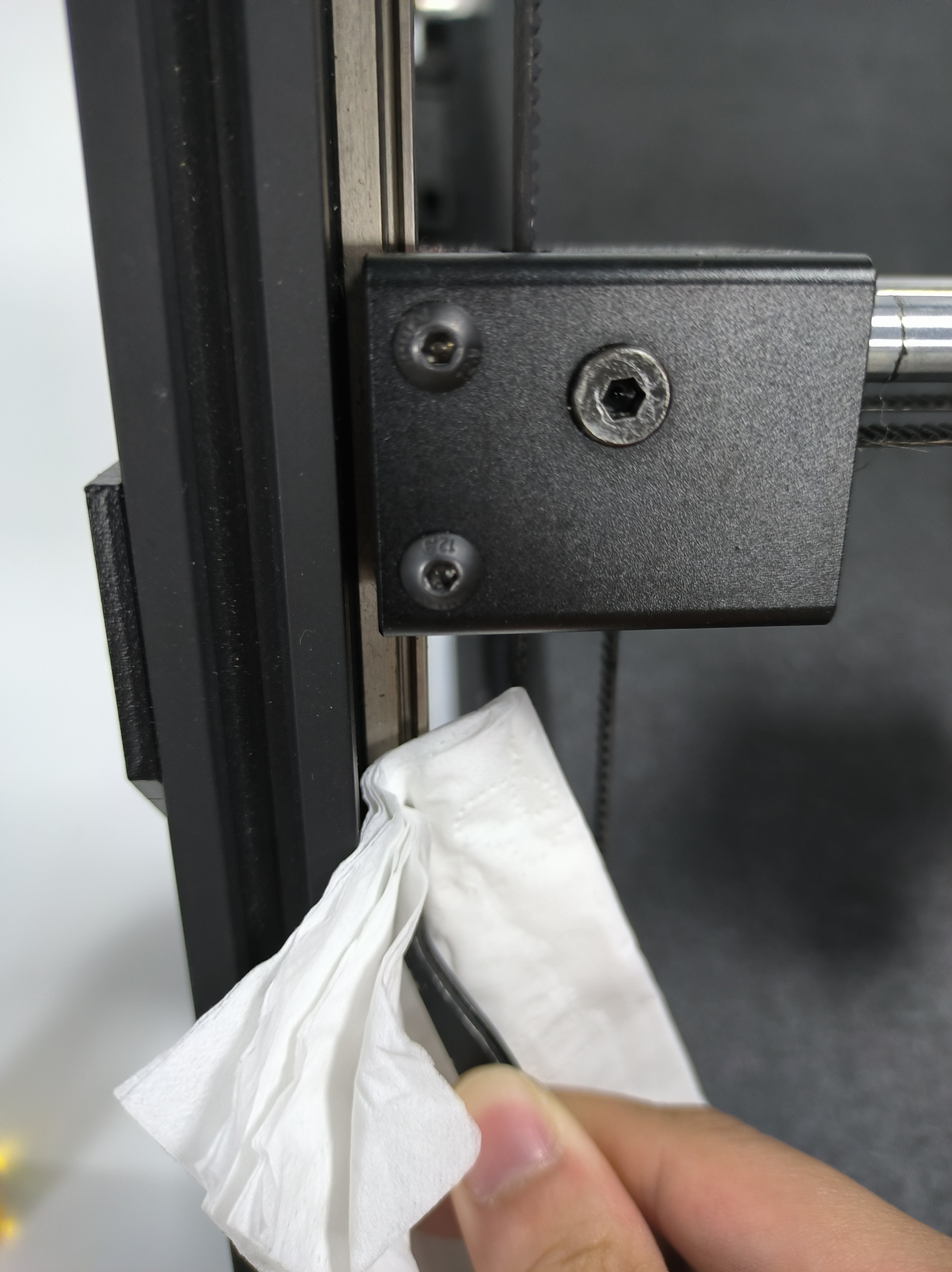
Apply a layer of lubricating oil on the optical axis. Gently wipe the surface with a tissue to make it smooth. Pull the print head back and forth to move it, and then apply lubricating oil to fully lubricate the optical axis.
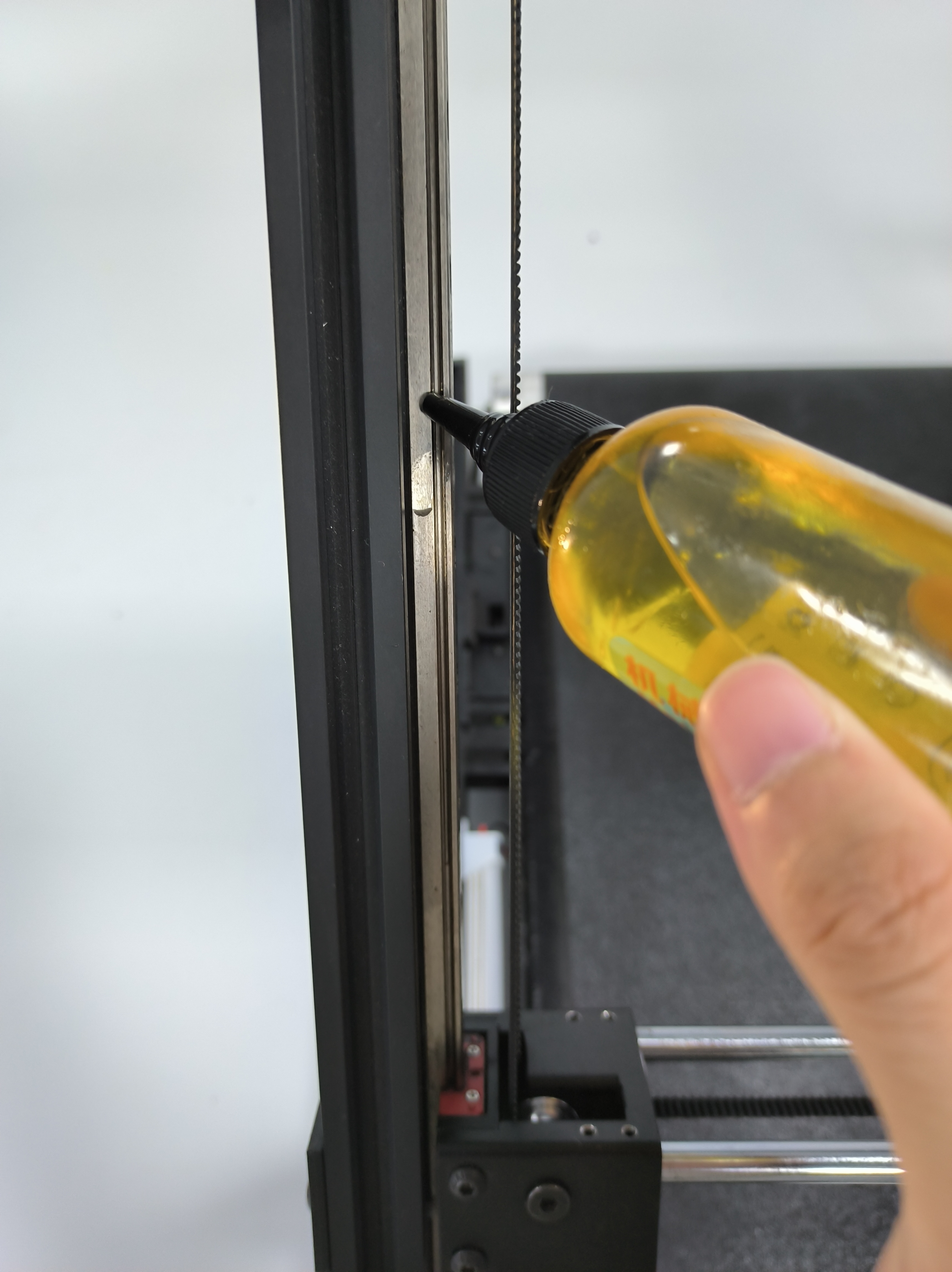

-
Apply lubricating oil to the surface of the guide rail and the gap between the slider. Gently wipe the guide rail with a tissue to prevent the lubricating oil from dripping. Pull the print head up and down to allow the lubricating oil to fully lubricate the guide rail.
¶ Correction of conveyor belt deviation
Click to navigateConveyor Belt Alignment Video Guide
- Loosen the screws that fix the rollers on both the left and right sides (loosen 3 turns on the left, 3 turns on the right, repeat this process back and forth)
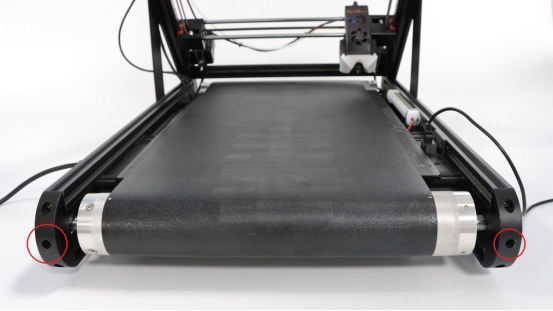
- Lift the conveyor belt off the magnetic mounting platform and adjust it to the center position.
- Tighten the screws securing the rollers on both sides (tighten the left side 3 times, the right side 3 times, and repeat the process back and forth).
- By pressing, check if these four points are bulging. If they are level with the heating bed, it is normal.
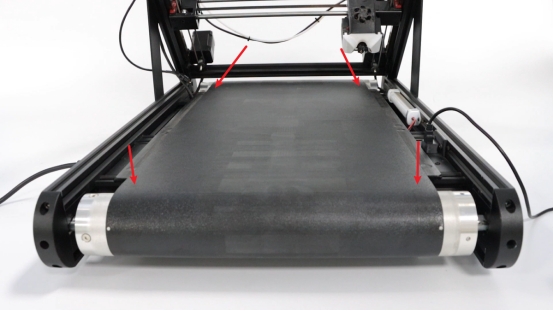
The picture below shows the abnormal situation.