The IdeaFormer-Slicer supports comprehensive remote control and monitoring of the printer via the network (WAN/LAN). The main functions include:
¶ Function Introduction
Remote Printing: Send the printing task to the connected printer via Wi-Fi.
Print Job Monitoring: Display the progress of the current print job and enable, stop or pause the current print job.
¶ Preparatory work
¶ Register / Login
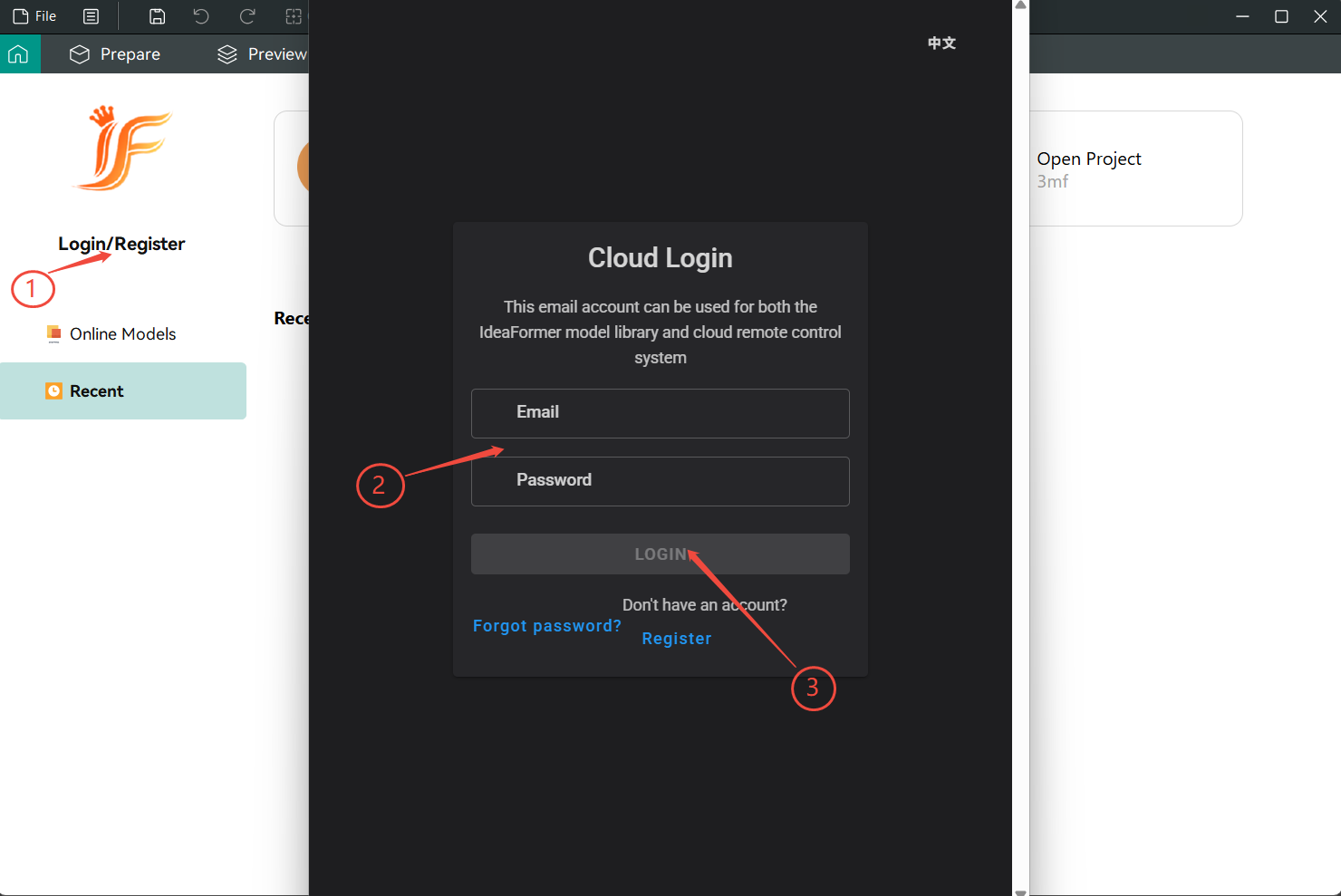
To bind the printer for remote control, first, you need to use the “Login/Registration” button on the homepage of IdeaFormer-Slicer to register an account or enter the existing account password for login.
¶ Bind the printer
If the account has not been bound to the printer yet, you can follow this guide to do the binding. Here, we will take the IR3V2 printer as an example.
¶ Printers that are bound to the same local network
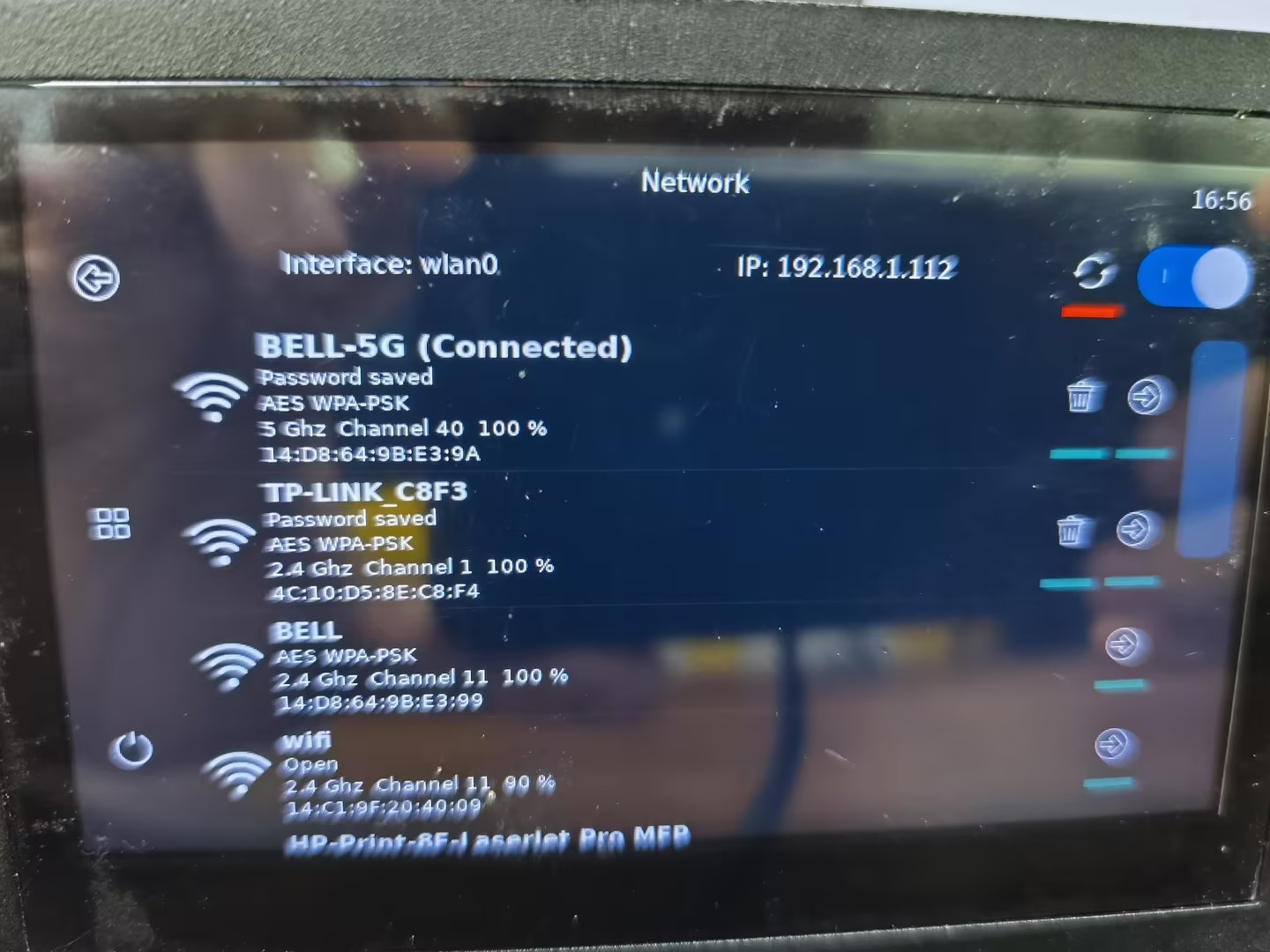
Open the network interface on the printer screen and check the device’s IP address.
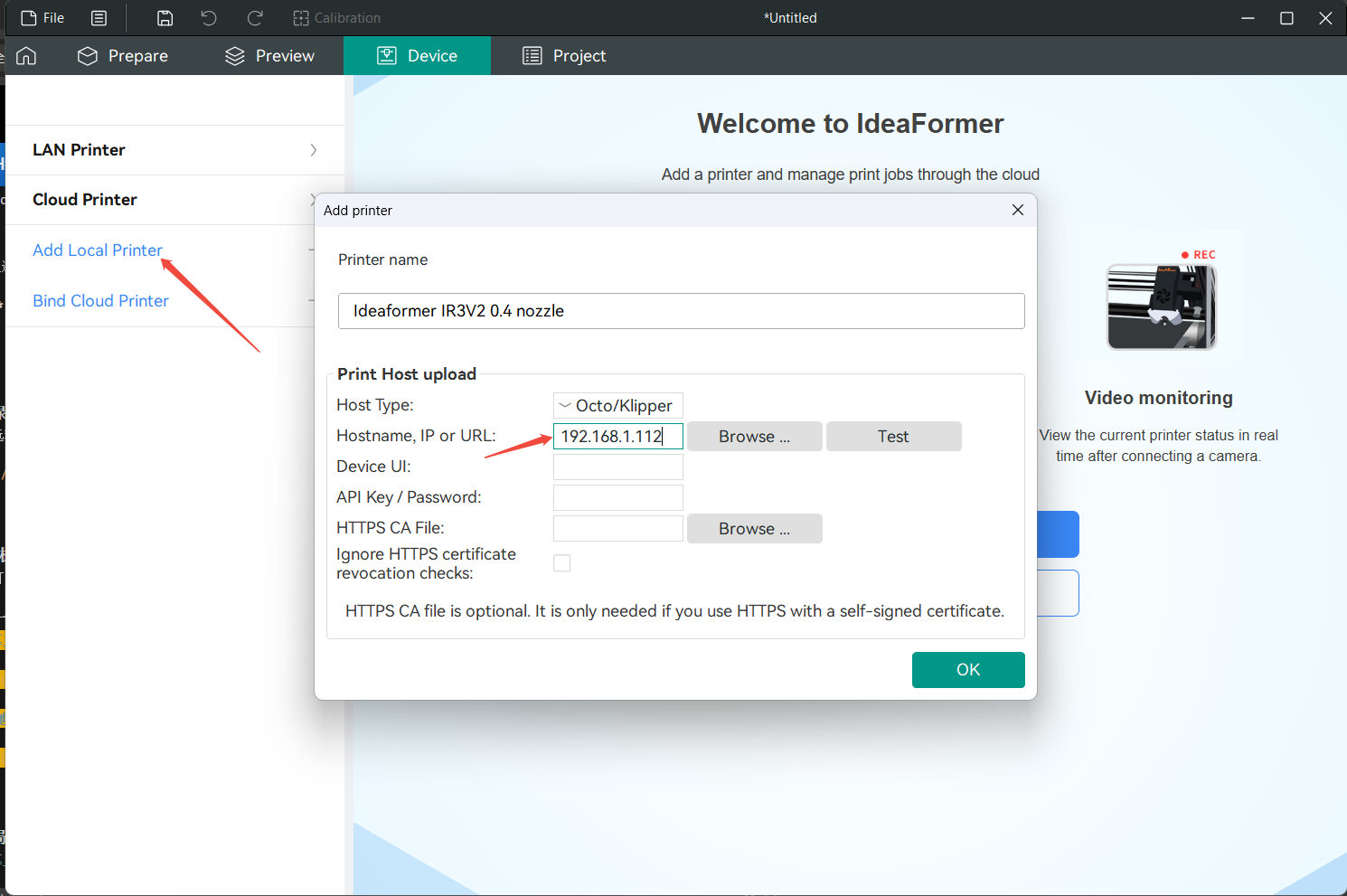
Click on Add Local Printer, enter the IP address of the device, and then click “Confirm” to complete the process.
¶ Bind non-local network printer devices
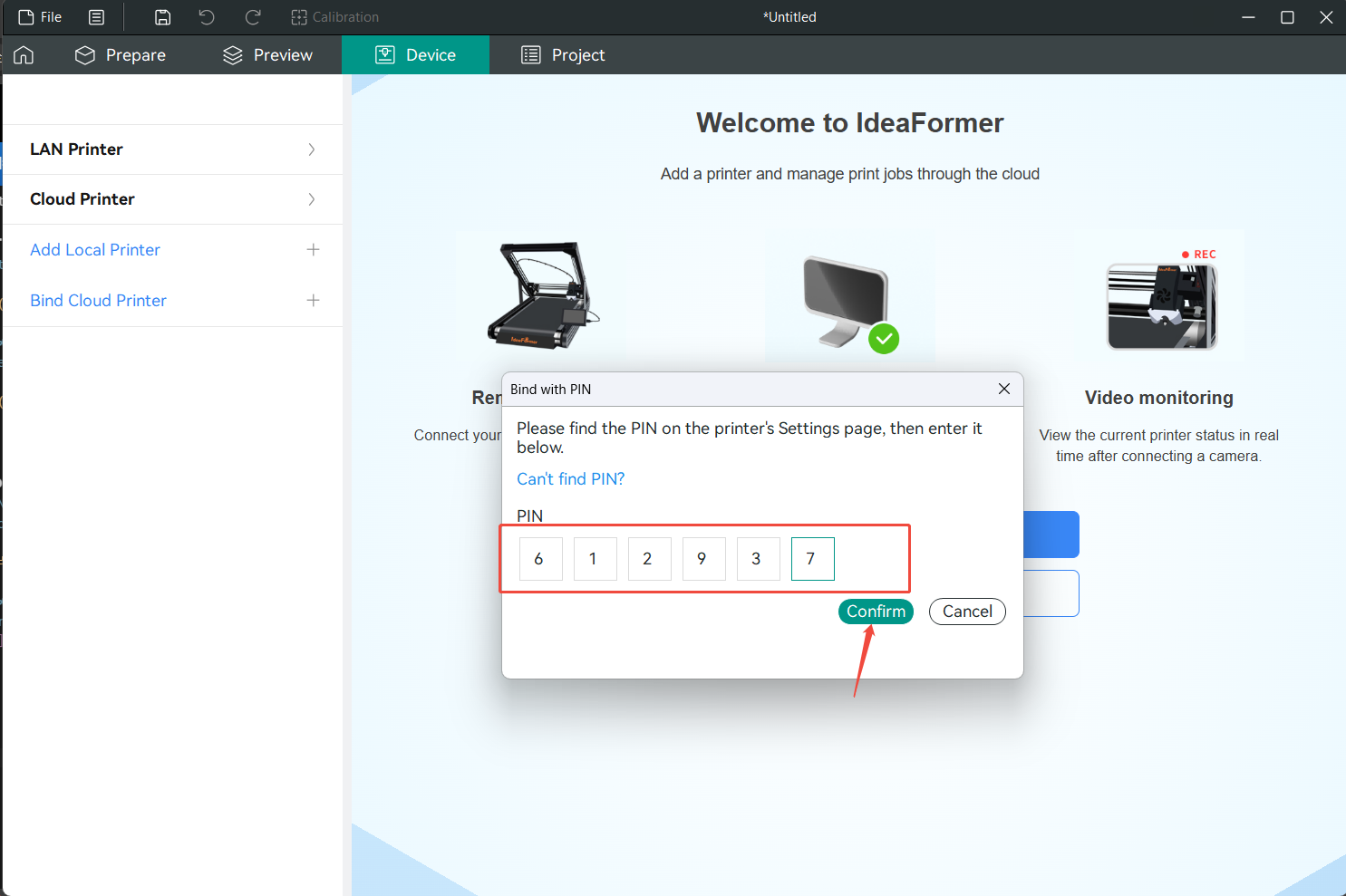
Open the PIN interface on the printer screen and check the device PIN code (it’s best to refresh it as the PIN code has an expiration time; it may become invalid after more than five minutes).
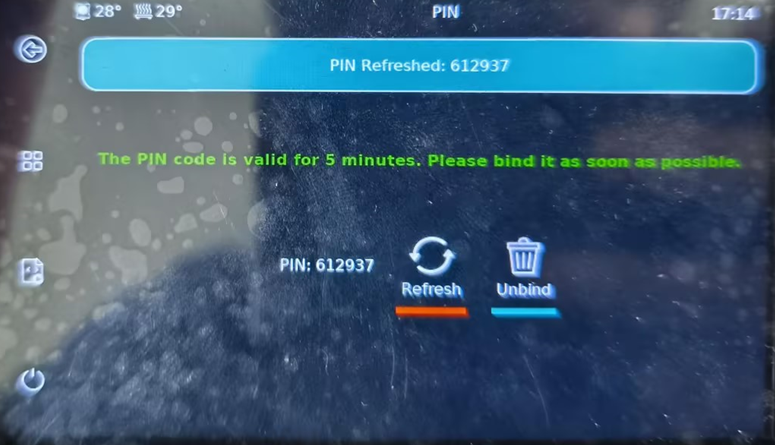
Click on Bind Cloud Printer, enter the PIN code of the device, and then click “Confirm” to complete the process.