Cooling is of vital importance for the printing quality of FDM printers, especially when the model contains fine structures such as overhangs, bridges, or sharp edges. If the printing speed is too fast and the cooling is insufficient, it often leads to a decline in printing quality.
The cooling-related settings can be adjusted on the consumable filament settings page, as shown in the following image:
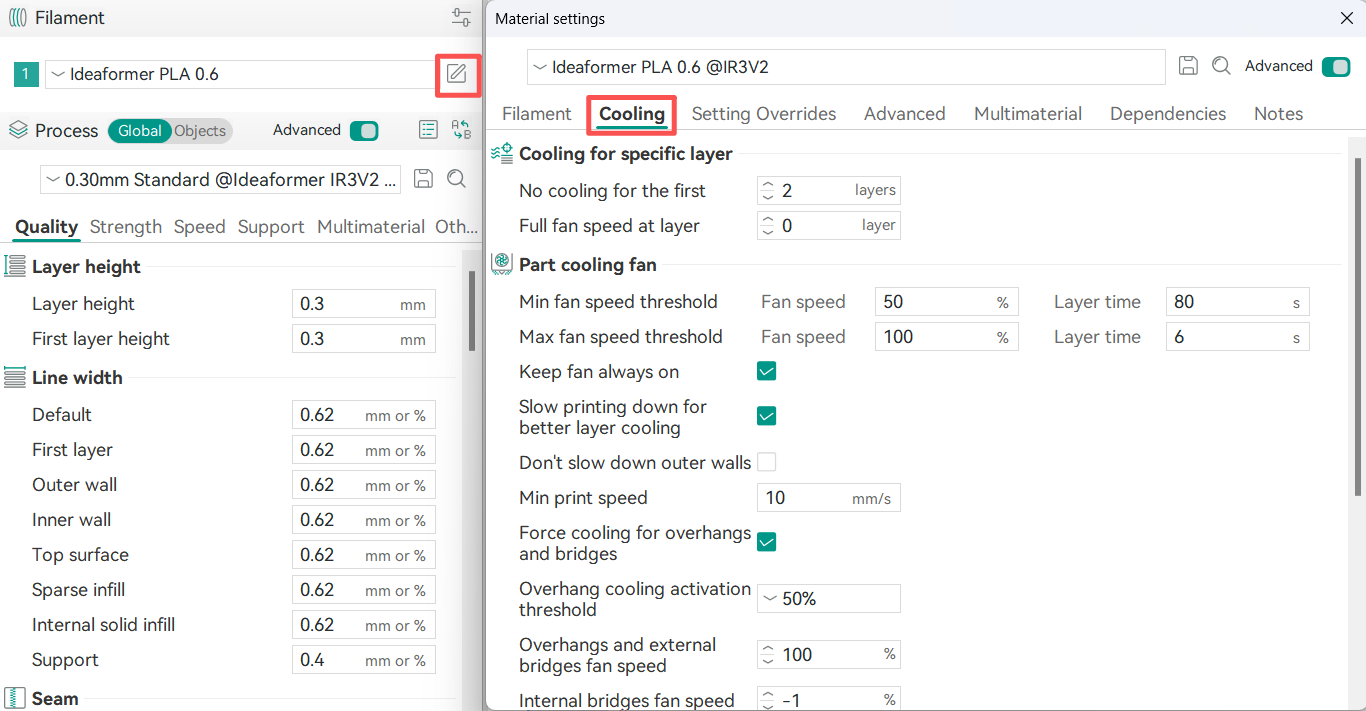
These settings are used to control the speed of the cooling fan and to limit the printing speed of a single layer.
¶ Part Cooling Fan
¶ Min / Max Fan Speed Threshold
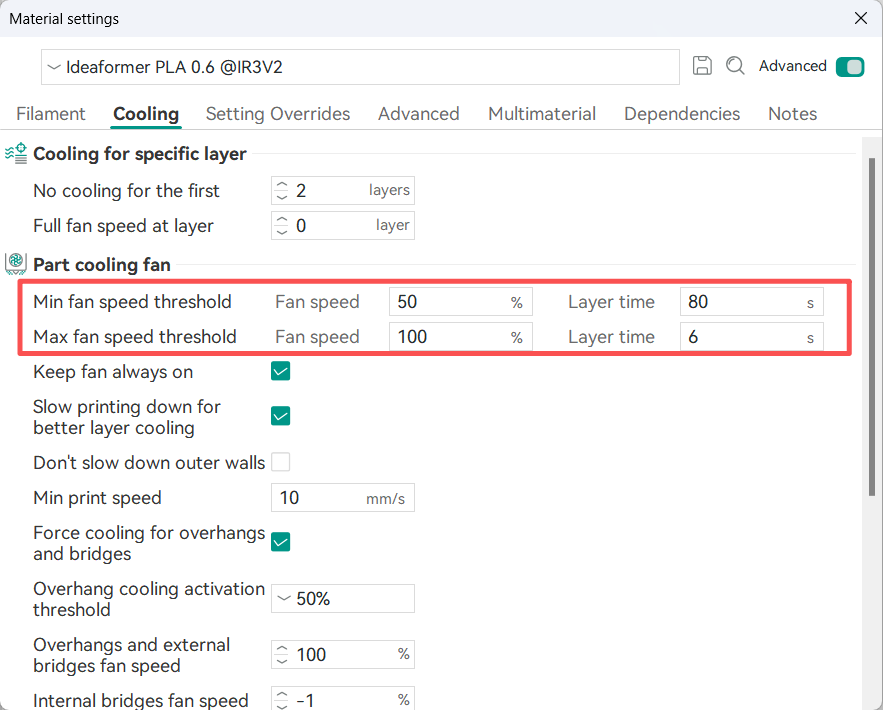
The part cooling fan speed automatically adjusts based on the print time of each layer, controlled by two speed thresholds and their corresponding layer time thresholds.
For example:
Min Fan Speed Threshold is 50% for a Layer Time of 80s.
Max Fan Speed Threshold is 100% for a Layer Time of 6s.
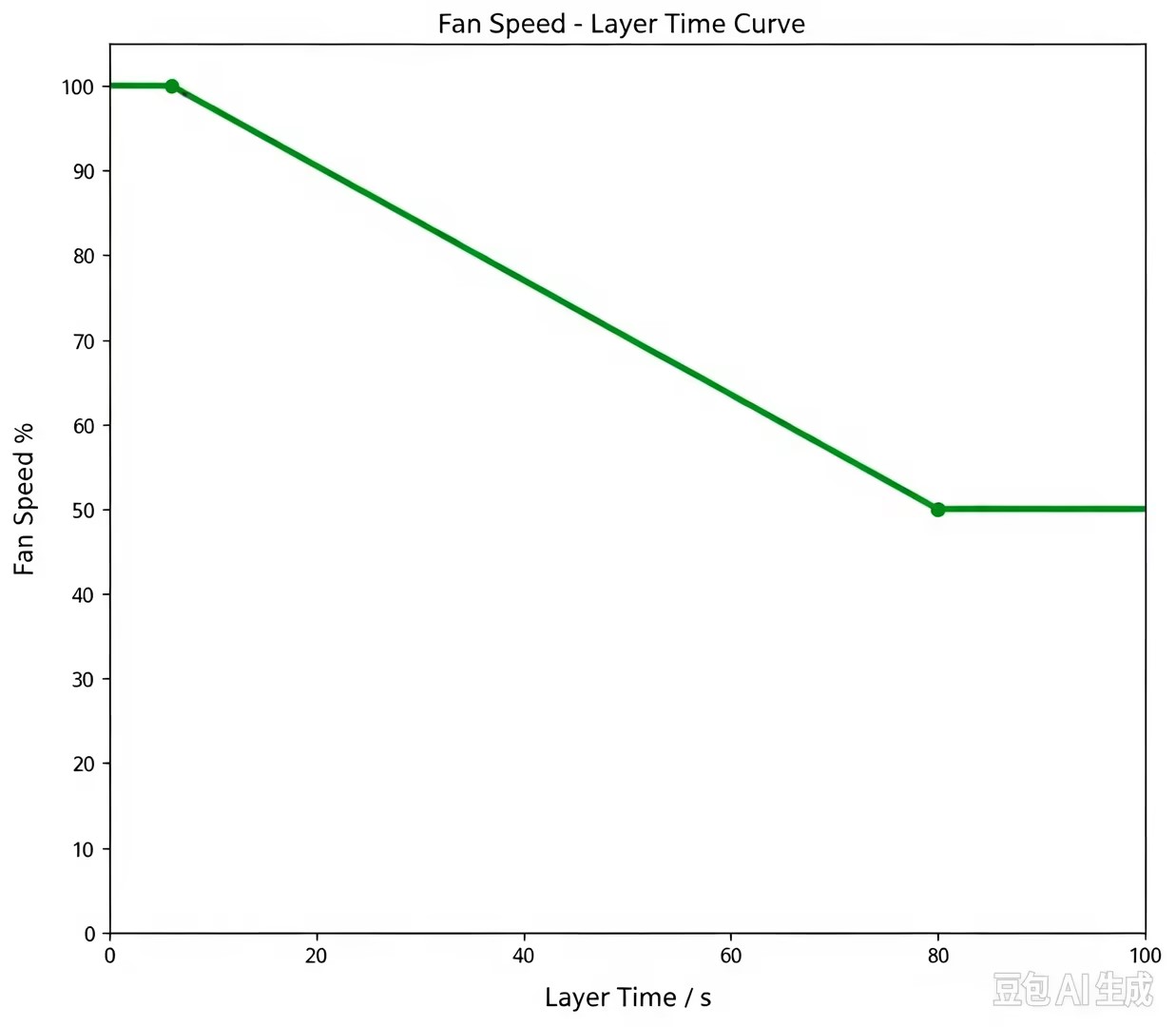
The corresponding relationships between layer print time and fan speed are as follows:
When a single layer takes 80 seconds or more to print, the fan speed drops to 50%.
When a single layer takes 6 seconds or less to print, the fan speed rises to 100%.
If the actual print time is between 6 and 80 seconds, the fan speed is determined by linear interpolation between these two thresholds (varying between 50% and 100%).
The actual single-layer printing fan speed can be referred to the following diagram: