¶ Solving the issue of print models failing to adhere to the heater bed
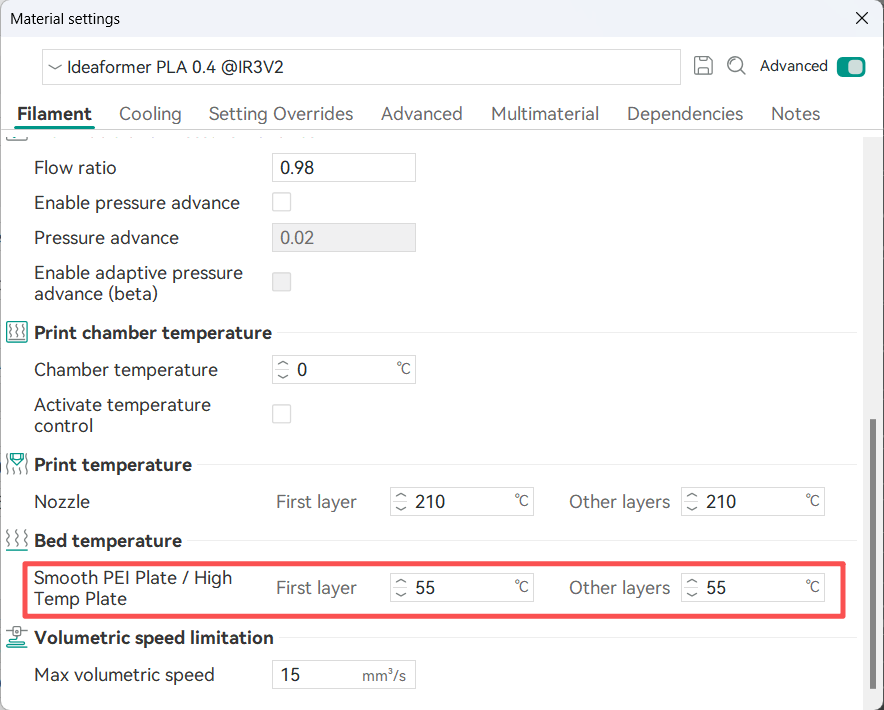
¶ The bed temperature is insufficient.
Increase the temperature of the heater bed by 5 to 15 degrees Celsius.
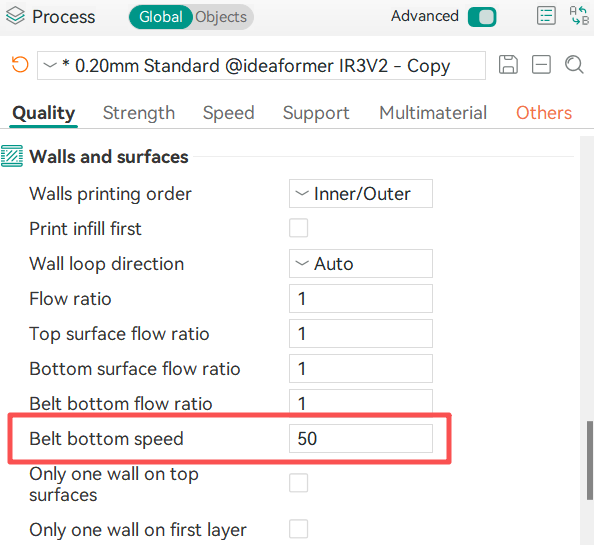
¶ The printing speed at the bottom is too fast
Reducing the printing speed at the bottom can enable the consumables to adhere better to the hot bed.
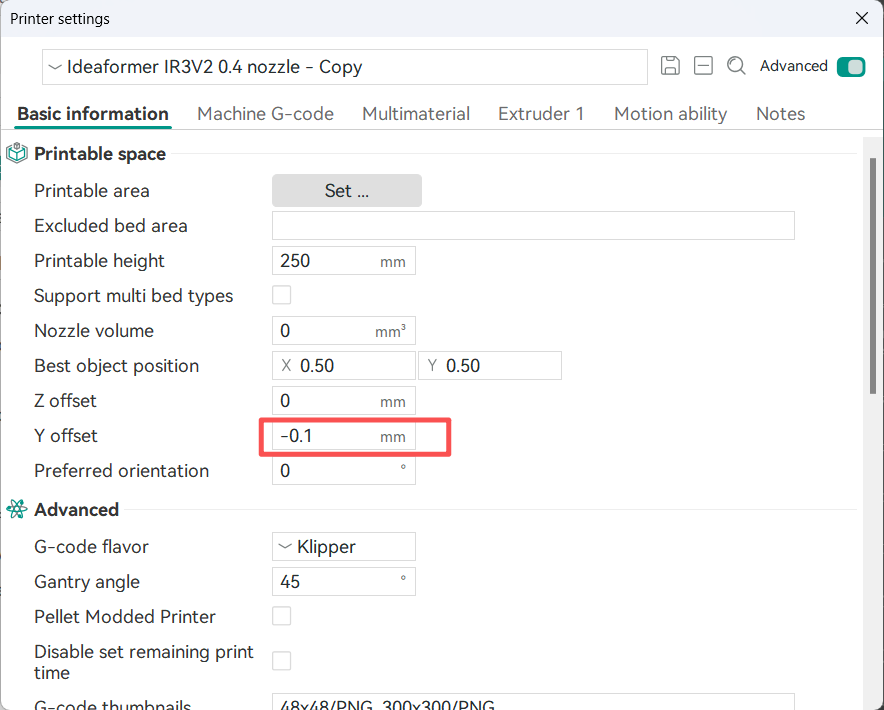
¶ The distance between the model and the heater bed is too large.
Adjust the distance between the model and the heater bed.
Adjust the Y offset distance. If the distance between the model and the heater bed is too far, the model won’t stick properly; if it’s too close, the consumables will pile up and the nozzle will scrape off the model.
You can adjust it by 0.05 - 0.1 each time to find the appropriate value.
¶ The heater bed surface has oil stains.
Wipe the heater bed clean with alcohol.
¶ Printing using a high-temperature filament
High-temperature consumable filaments are prone to warping. After warping, the contact area decreases. Using a temperature-controlled box for constant temperature can reduce the degree of warping and ensure good adhesion.
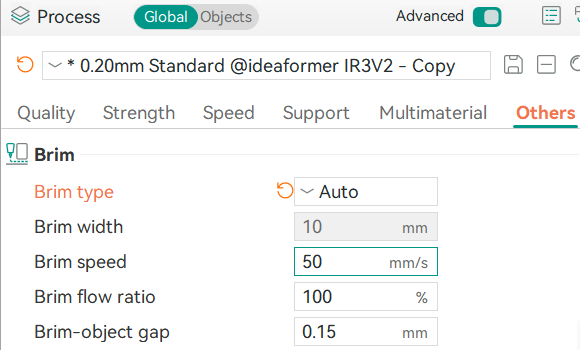
¶ Brim Setting
If the contact area of the model is too small, it may result in poor adhesion. In such cases, turning on the Brim function and increasing the contact area can enhance the adhesion.
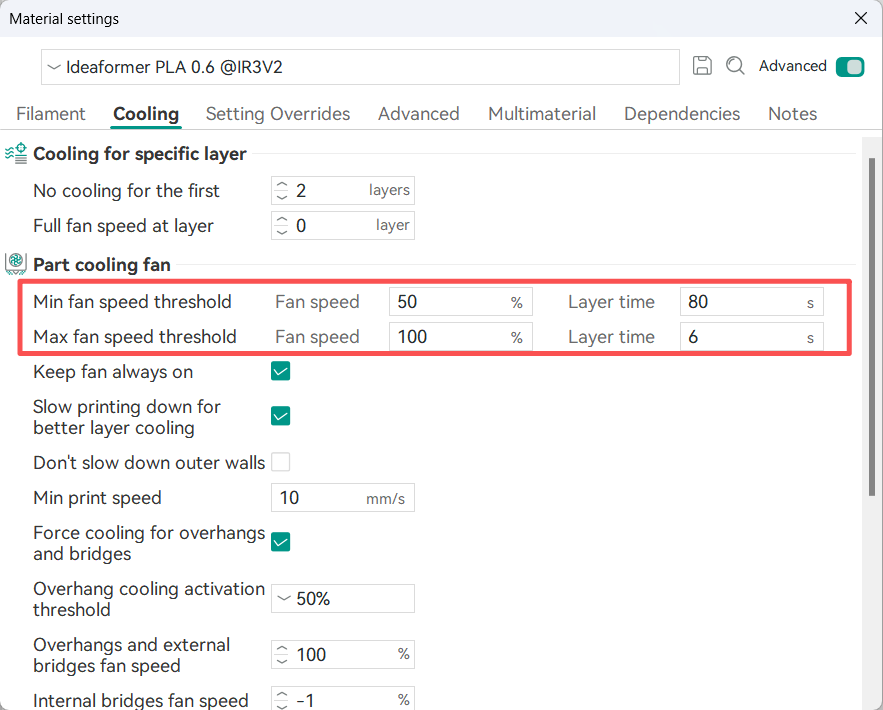
¶ The fan speed is too high.
If the fan speed is too high, it will cause the model to cool down and contract rapidly, resulting in poor adhesion. Therefore, it is necessary to try reducing the fan speed.
¶ The nozzle has remaining waste filament.
Before printing, remove the remaining waste filament from the nozzle. If there is waste filament hanging on the nozzle, it will increase the actual printing gap and cause the first layer to be printed empty.
¶ The conveyor belt on the heater bed is worn out and aging.
Check the wear condition of the coating on the conveyor belt. If the wear is severe and the coating has come off, the conveyor belt needs to be replaced.